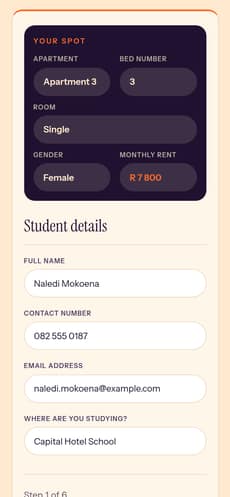
01Student
The reserved bed arrives locked in, with the name, number and email from the reservation. (Test applicant shown.)
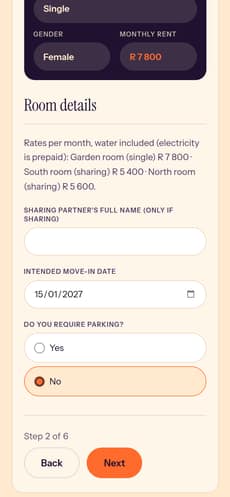
02Room
Rates, a sharing partner if there is one, move-in date and parking.
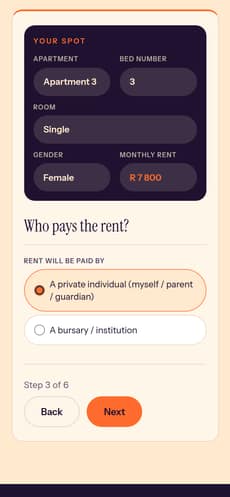
03Who pays
A private payer or a bursary: the form branches here.
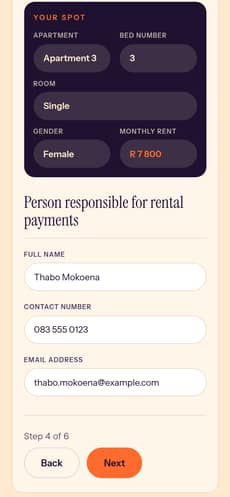
04Private
The person responsible for the rent.
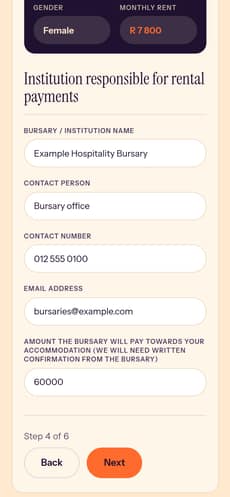
05Bursary
Or the institution, and what it will cover, then a parent or guardian.
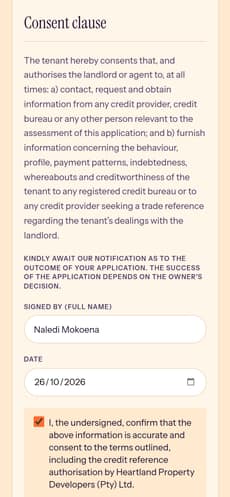
06Consent
Credit-reference consent, signed and dated, then submit.
CHS Residence: pick your bed, then apply for the lease.
Student rooms on the Capital Hotel School campus, for the 2027 intake. A student picks an apartment, then a bed on the plan, and reserves it. They land straight in the lease application, with their bed and their details already filled in.
- Apartments, female and male
- 6
- Beds on the plan
- 30
- Steps in the lease application
- 6
- Payer paths: private or bursary
- 2


- 01 · The brief
- Students and parents needed to see which beds were still free, pick one, and apply, without a back-and-forth by email. The application had to work for students paying privately and for those on a bursary.
- 02 · The system
- Beds live in the Webflow CMS. The selector shows each apartment and its beds. Reserving a bed sends the student to the lease application with their selection (apartment, bed, room type, gender, monthly rent) locked in and their name, number and email already filled. The application is a multi-step form that branches on who pays the rent and saves progress as you go.
02
Bed selectorPick an apartment, then a bed
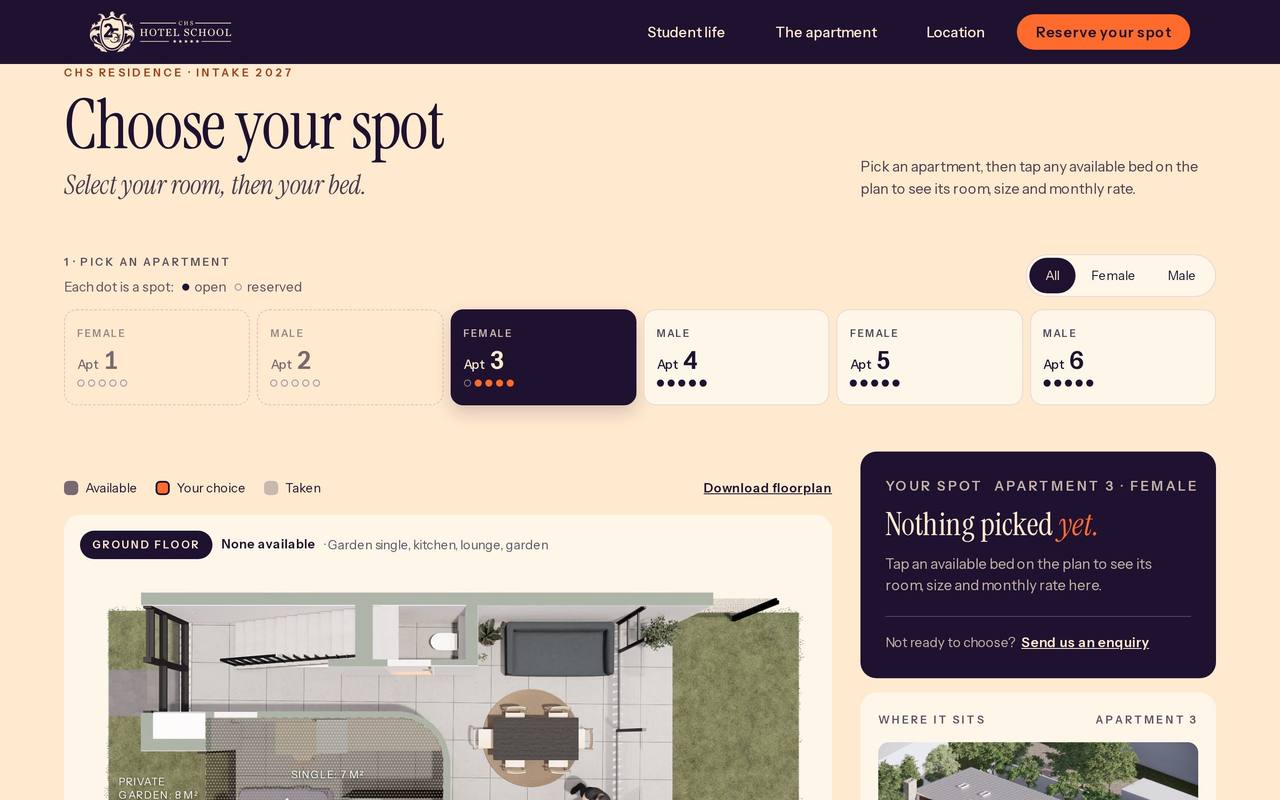
03
Multi-step formThe lease application, step by step
04
SystemUnder the screenshot
Webflow CMS
apartments · beds
status · rates
Bed selector
apartment → bed
on the plan
Reserve
bed + details
redirect to the lease
Lease application
Formly · 6 steps
private or bursary
Webflow form
submission
to LeadConnector
05
DesignThe page around it